What it does
Hears the phrase, repeats the tail.
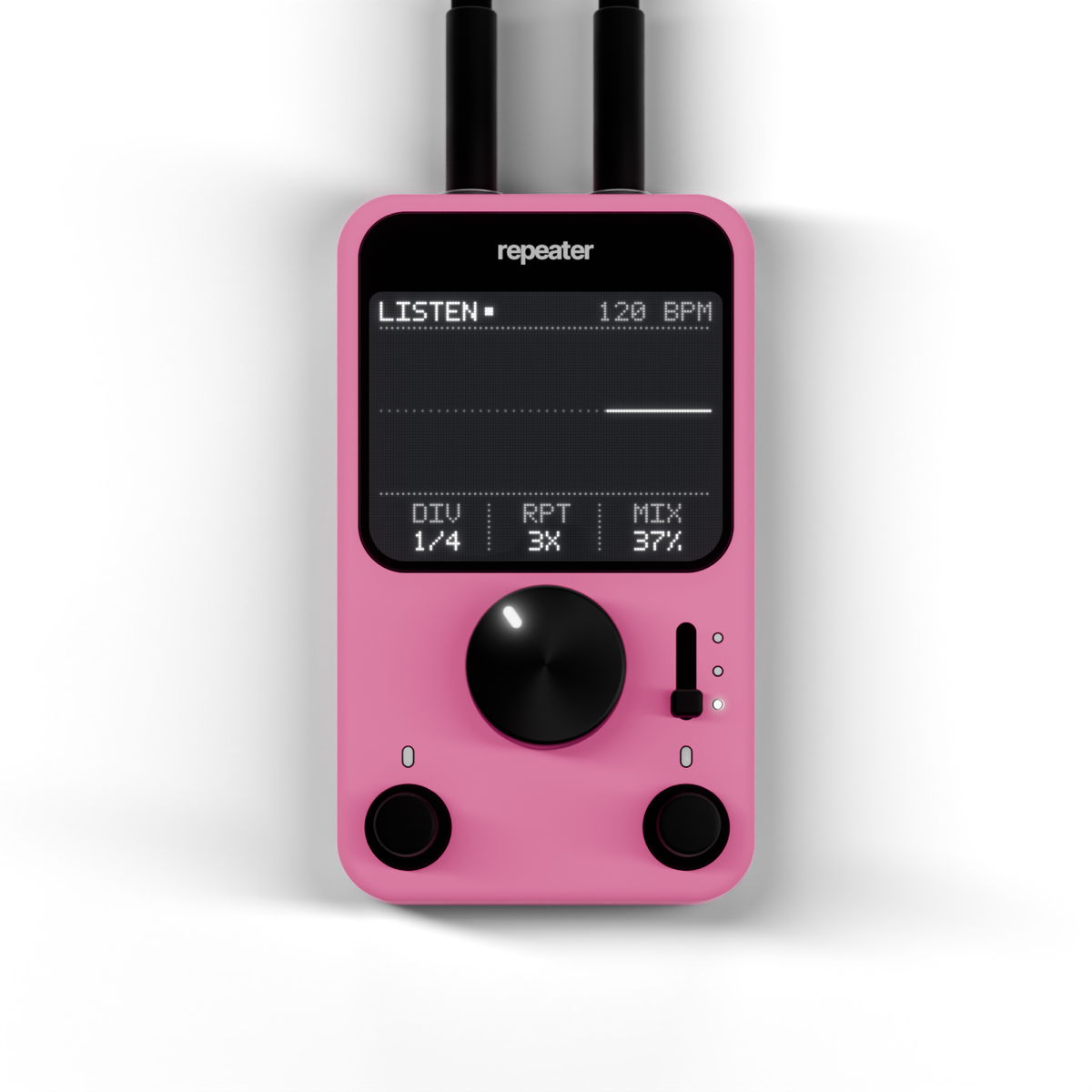
The black marks are where repeater found a phrase end. The tail then repeats on the grid and fades out. Change the controls below and the arrangement follows.
Why it helps
One plugin instead of a routine.
Before
- 1Bounce the vocal to a new track
- 2Find and cut the last word of every phrase
- 3Put a delay on it and sync it to tempo
- 4Automate it so it only plays at the ends
Every song, every vocal.
With repeater
- 1Put repeater on the vocal
- 2Pick the step and the number of repeats
- 3Done. It follows every phrase by itself
Seconds.
Feel it
Made to be touched.
Go on, play with it
This is repeater itself, not a picture. Turn the big knob, press DIV and RPT, flip the switch. Every press, turn and toggle has its own sound, the same as in your DAW, and the screen shows what repeater hears, live. Click the name on the panel to see About.
Hear it
Before and after.
The same vocal, dry and with repeater on it. Listen to the ends of the phrases: the last word comes back on the beat and fades away.
Switch while it plays: the position stays, only the sound changes. Click a waveform to jump.
Features
What’s inside.
Listens to the vocal and knows where each phrase stops.
Repeats sit on your project grid, always in time.
From 1/16 to 1/2, dotted ones included.
A single echo or a long tail that fades away.
The switch spreads the repeats from the centre to wide.
A pixel screen shows the input, the phrase ends and the repeats.
 Hub
HubInstallation
How to install
repeater installs through the YukoDSP Hub, our small free app that keeps all the plugins in one place.
HubGet the free app and drag it to Applications.
Your purchase is tied to your account, on every computer.
Press Install next to repeater, then open your DAW. It’s in your AU and VST3 plugins.
Apple Silicon and Intel
 Next pluginoctaver